What an AI clothes changer does
An AI clothes changer takes a picture of a person and replaces what they are wearing. The face, the hair, the body, the pose and the background stay as they were.
There are two kinds, and the difference matters.
- A prompt-based changer invents the clothes from a sentence you type, such as "red leather jacket". It is fast, and the jacket does not exist anywhere.
- A garment-based changer copies one specific piece from its photo. It takes a minute longer to set up, and what you see is something you can buy, or something already in your wardrobe.
Wear It On Me is the second kind. It has no text box at all: you choose garments, never words.
A real change, before and after
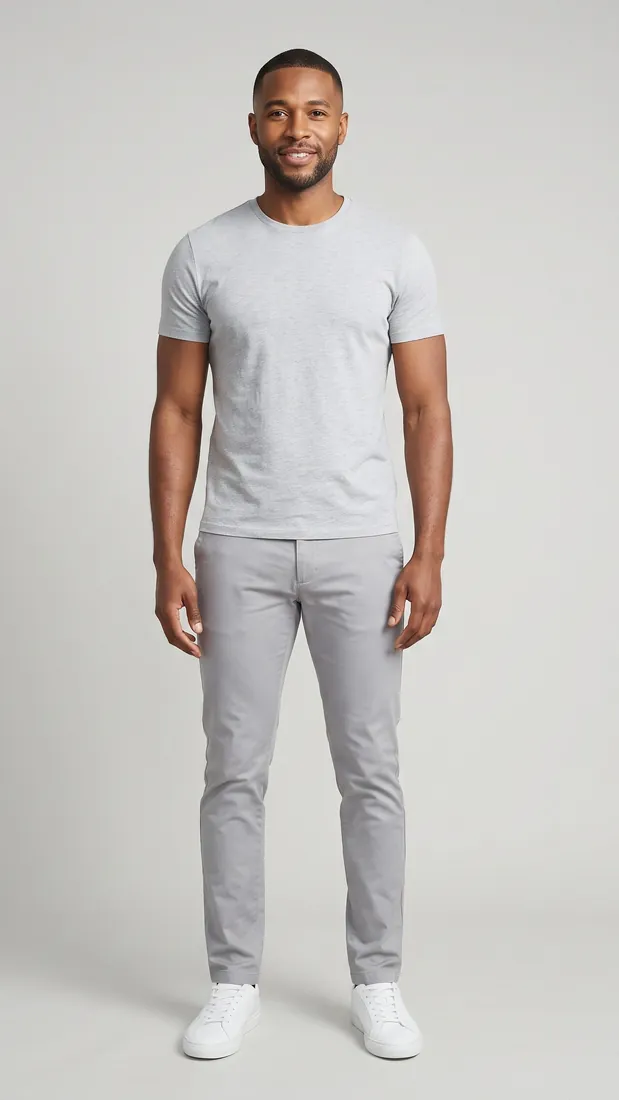
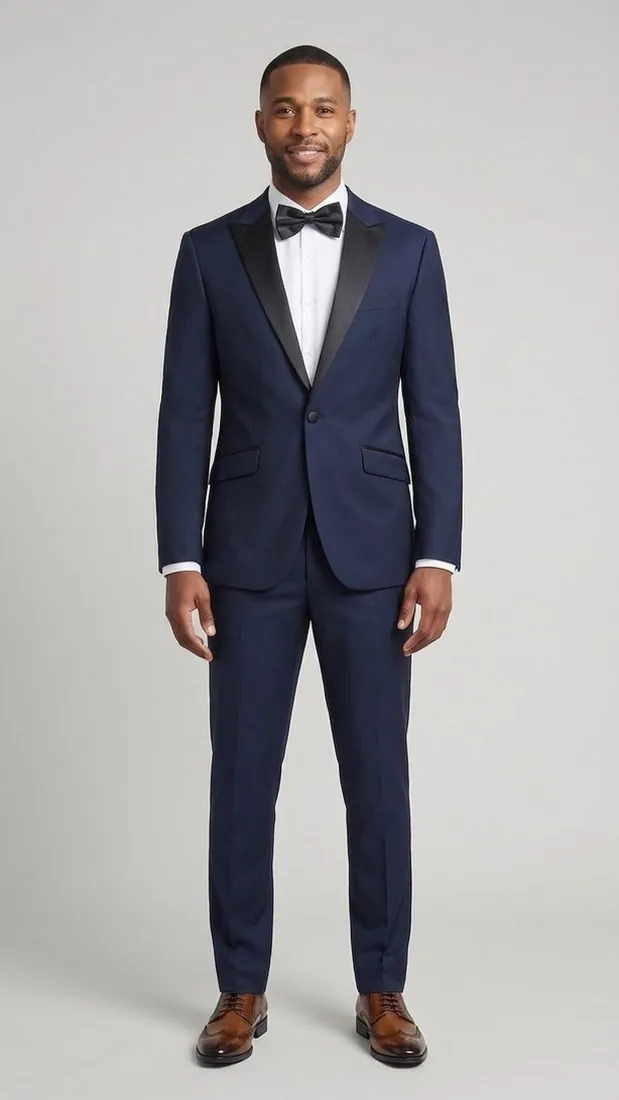
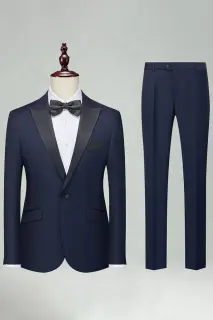
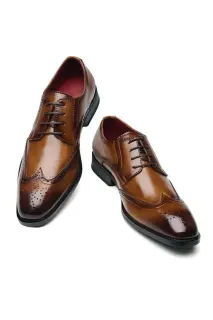
The two pictures at the top of this page are real. The first is our model as he is stored in the tool, in a grey T-shirt and chinos. The second is the image the tool returned on November 9, 2026, after we chose a navy suit and a pair of brown lace-up shoes from the catalogue. We resized it for this page and changed nothing else.
Look at what did not move: the face, the stance, the hands, the grey backdrop. Then look at what the tool added without being asked. The white shirt and the bow tie are in the shop's photo of the suit, so they came with it. The rule to remember is that the changer copies what the garment photo shows.
The same change on our female model, with a dress and a pair of heels:
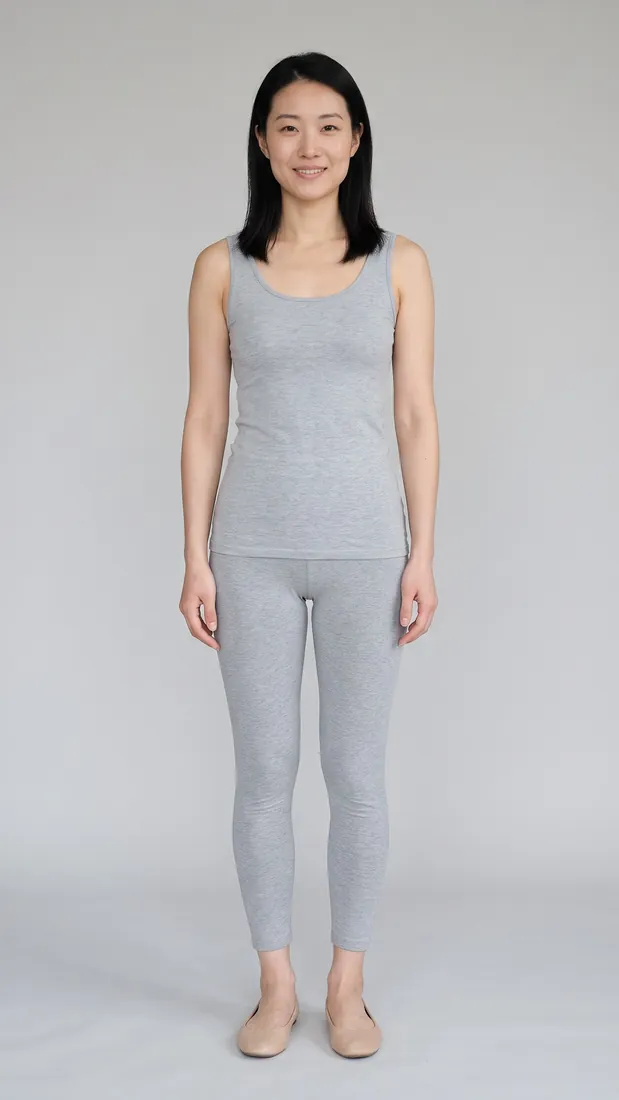 Before
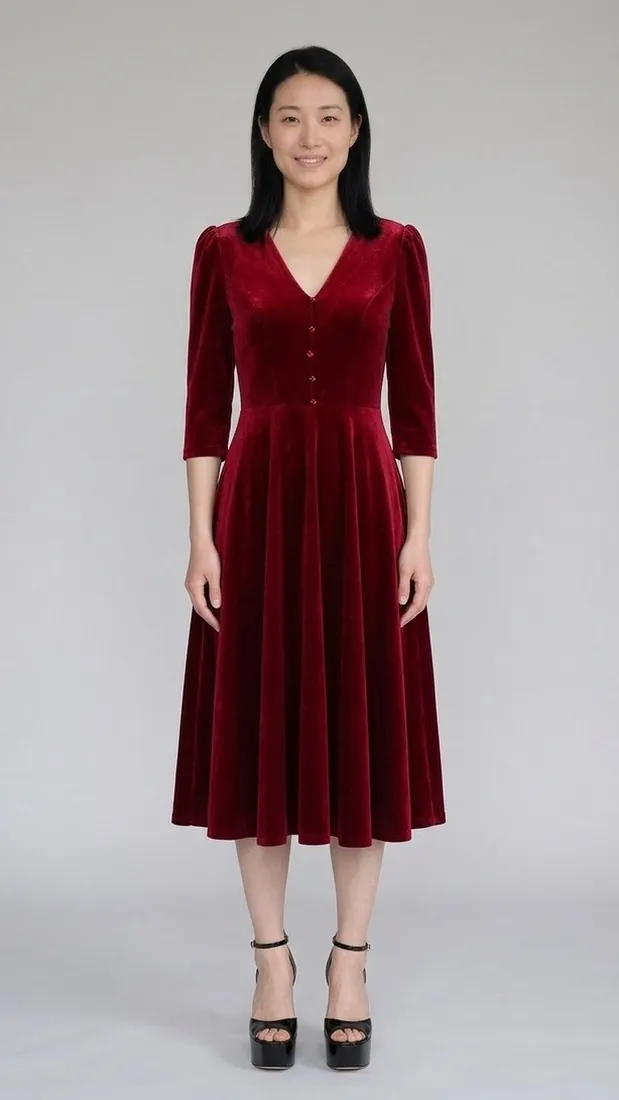 After
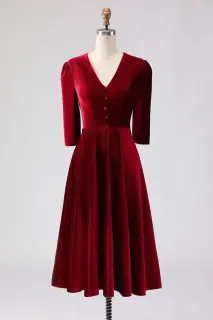 Zapaka Burgundy Velvet A Line V-Neck Midi Work Dress with Half Sleeves $109 Shop at Zapakaaffiliate link
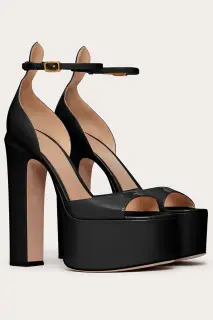 Zapaka Elegant Black Chunky Open Toe Prom High Heels Pump with Ankle Strap $54 Shop at Zapakaaffiliate link
A real result of the try-on, made on November 9, 2026. AI-generated image, on our own model.
How to change clothes in a photo
- Open the tool. It runs in the browser, on a phone or a computer. There is nothing to install.
- Choose the clothes. Up to 3 pieces for the free try, up to 6 with an account. They come from a catalogue of real products, or from a photo of a garment you own.
- Choose the person. Our model, woman or man, is free and needs no account. Your own full-length photo needs a free account.
- Get the image. One picture with every chosen piece on, usually in well under a minute.
What stays and what changes
| Stays the same | Changes |
|---|---|
| Face and hair | The clothes you chose |
| Body and pose | The shoes you chose |
| Framing and background | The bag you chose |
Every piece you pick is worn. None is left out.
It does one thing: dress a person in the pieces you chose. Because there is no prompt, there is no way to ask it for anything else.
Use a garment you already own
With a free account, add a photo or a screenshot of the garment. A plain background helps. The piece joins your own list, visible only to you, and you can put it in a look next to pieces from the catalogue. It is a quick way to check whether the jacket you have goes with the trousers you are about to buy.
Which photos work
For the person: a full-length photo, a plain background, arms slightly away from the body. For a garment of your own: the whole piece in the picture, on a plain background if you can.
The result is an AI preview. Shape and length are reliable. Size, fit and the exact color can differ from the real piece, so it does not replace a size chart.
What it costs
The first change is free and needs no account. A free account adds one more, on your own photo. After that, looks are sold in packs.
| Pack | Looks | Price | Per look |
|---|---|---|---|
| Free try, no account on our model, up to 3 pieces | 1 | $0 | $0 |
| Free account on your own photo | 1 | $0 | $0 |
| Starter | 15 | $9.90 | $0.66 |
| Style | 50 | $19.90 | $0.40 |
| Wardrobe | 150 | $39.90 | $0.27 |
A look is one image, whatever the number of pieces in it. Looks never expire, and a look that fails is given back. See the packs.
Your photo stays private
The free try uses our model, so it needs no photo of you. When you add your own, it goes straight to encrypted storage and only you can see it. You can keep up to five photos and remove any of them at any time. The details are in the privacy policy.
AI clothes changer or virtual try-on?
It is the same technique under two names. People say "clothes changer" when they start from a photo they want to edit, and "virtual try-on" when they start from a garment they want to buy. The virtual try-on page explains the tool from that side, and compares it with the try-ons of Google, Walmart and Amazon.
If you are choosing what to wear rather than editing a picture, our guides go piece by piece: what color shoes go with a navy suit, what to wear to a wedding as a guest, or what color shoes go with a black suit.
Questions people ask
Is there a free AI clothes changer?
Yes. Here the first image is free with no account and no card: up to 3 pieces, on our model. A free account gives one more free image, on your own photo.
Can AI change the clothes in a photo without changing the face?
Yes. The tool keeps the person as they are in the original photo: same face, hair, body, pose, framing and background. Only the chosen pieces change.
Can I change clothes in a photo using a picture of my own garment?
Yes, with a free account. Add a photo or a screenshot of the garment and it becomes one of your pieces, private to you.
Can I type what I want the person to wear?
No. This changer has no text prompt. You choose real garments, from the catalogue or from your own photos, and the tool copies them.
Do I need to install an app?
No. It runs in the browser, on a phone or a computer.
Can I buy the clothes shown in the result?
Catalogue pieces link to the shop that sells them. Some of those links are affiliate links: Wear It On Me may earn a commission if you buy, at no extra cost to you.
The before and after images on this page are real outputs of the Wear It On Me try-on: AI-generated images, made from our own model photos and the shops' photos of each piece. They are not photographs of real people. Prices are the ones in force when the page was built and can change. Wear It On Me earns a commission when you buy a garment through an affiliate link (the links are marked, and it costs you nothing extra). How we work.